

Free Chrome extension
See every broken link where it sits
A free Chrome extension that checks every link on the page you are looking at, colors each one where it sits, and ranks what to fix first.
Get Hasten LinkLens
One click from the Chrome Web Store, and Chrome keeps it up to date on its own. Nothing to unzip, and nothing to sign into.
Add to Chrome- 1Click Add to Chrome on the store listing. It needs Chrome 116 or later.
- 2Chrome lists what the extension can access. Click Add extension to confirm.
- 3Pin Hasten LinkLens from the puzzle-piece menu, so the icon is there when you need it.
- 4Open any page and click the icon, or press Alt+Shift+L. Right-click a link, or a selection, to check just that.
What Chrome will ask to allow
- activeTab
- Access the current tab, and only when you start a check on it.
- scripting
- Add the scanner, the highlights and the panel to the page you asked it to check. Nothing runs on a page by itself.
- Access to http and https sites
- Send link checks to whatever websites a page links to. Links can point anywhere, so this cannot be narrowed. Chrome words it as reading and changing your data on all websites, and it is unchanged since 1.0.
- storage
- Save your settings, the panel’s position and, if you turn it on, scan history, on your device only.
- contextMenus
- Add “Check this link” and “Check links in selection” to the right-click menu.
- webRequest (optional)
- Not asked for at install. Chrome asks only if you turn on Exact redirect codes, and it watches only the extension’s own check requests.
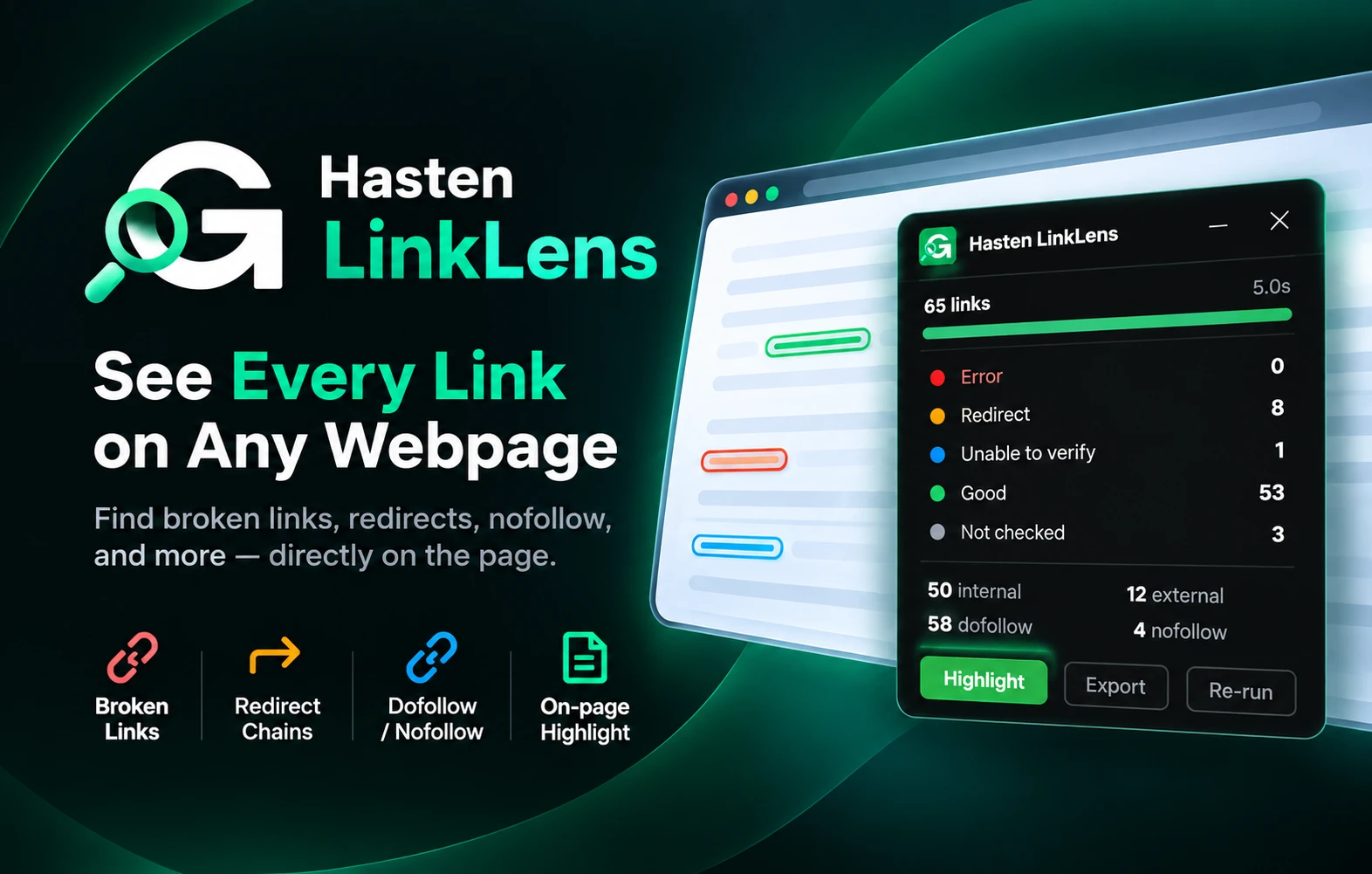
Five colors, five states
Hover any link on a scanned page for the same thing in words.
- Error4xx, 5xx, timeout
- The link answered with an error, even after a redirect, or did not answer in time. Fix it or remove it.
- Redirect301, 302, 307, 308
- The link works, but only after a redirect. Point the href at the final URL and the hop goes away.
- Unable to verify401, 403, 429, 999
- The site blocked the check: a sign-in wall, a refusal, rate limiting or a bot check. These links are usually fine.
- Good2xx
- The link answered normally. Nothing to do.
- Not checkedNone
- Not a web address, so never requested: #section, mailto:, tel: and javascript: links, empty hrefs, and domains on your skip list.
What it does
One click, on the page you already have open
Want this across a whole website? That is Site Audit in the GrowthHasten product.
Start a check and Hasten LinkLens collects every link on the page, from navigation and body copy to sidebar and footer, and requests each one to see what it actually returns. The page is not reloaded, and the colors never move or reflow it.
The color fills the link itself, so you can see which anchor text and which part of the page a bad link belongs to. Every link is also read for SEO: internal or external, dofollow or nofollow, where it sits on the page, and what its anchor text says.
The Issues tab then ranks what to fix as High, Medium or Low, each with a reason and a fix. Redirects are called redirects, and a check the site blocked is reported as unable to verify, not as a 404. There is no overall SEO score, because a number nobody can explain helps nobody fix anything.
Color on the page
Every link is filled with the color of its result, and image links get an outline so the image stays visible. A page’s link health reads at a glance, and nothing on it moves.
What to fix first
The Issues tab groups problems into High, Medium and Low, from broken links and redirect loops down to generic anchor text, each with a reason and a suggested fix.
Redirects, chains and loops
Redirects get their own state. Turn on Exact redirect codes and you also see 301 versus 302, every step of a chain, and loops that never load.
Honest about blocked checks
A 401, 403, 429, LinkedIn’s 999 or a bot-check page is reported as unable to verify rather than broken. The site refused the check, which is not the same as the link being dead.
Filter by type, follow and location
Narrow the panel and the page to internal or external, dofollow, nofollow, sponsored or UGC, and content, navigation, header, sidebar or footer. Or color links by follow, or by internal and external.
Ready for a developer ticket
Alt+click any link for its full details, then copy a diagnostic with every redirect step and the fix. Export a CSV of all links, only the ones with issues, or the filtered view.
Works on staging and behind a login
The scan runs in your browser on the page you can already see, so pages a crawler cannot reach are still checkable. Links that need you signed in can be checked with your cookies, one domain at a time.
Keeps up with modern sites
Links a page adds after the scan, from lazy-loaded sections to infinite scroll, are checked automatically, up to 2,000 per page. Move to another page and the panel closes with it.
Nothing is sent to us
Checks go straight from your browser to each destination, with no referrer and, unless you choose otherwise, no cookies. The URLs you check are never sent to us.
How it works
What happens when you start a check
There is no popup and no Analyze button. Starting the check is the whole interaction, and nothing runs on any page until you do.
- 01
Open the page you want to check
Any http or https page, including staging and pages behind a login, because the scan runs in your browser on the page you can already see.
- 02
Start the check
Click the icon or press Alt+Shift+L for the whole page. Right-click a link to check just that one, or select part of the page to check only the links inside it.
- 03
Each destination is requested
Straight from your browser, each address once. Checks are spaced out per site, so 80 links to one site do not look like an attack, and a site that stops answering is left alone rather than hammered.
- 04
The page fills in as answers arrive
Links take their color where they sit, the panel keeps count, and the toolbar icon shows how many are broken. Open Issues, filter, export, then close the panel and the page is exactly as it was.
Who it is for
- SEO specialists checking a page before it goes live, or after a migration
- Content editors verifying their own outbound links, citations and anchor text
- Developers reviewing the links a template puts in the nav and footer, and filing fixes with a copied diagnostic
- Anyone who has just taken over a site and needs to know what is already broken
Privacy
What leaves your browser
There is no account and no GrowthHasten server involved in a scan.
- Link checks are made by your browser, straight to each destination. The pages and URLs you check are never sent to us.
- Checks carry no referrer, and no cookies unless you add a domain under “Check with your cookies” in Settings.
- Results stay in memory for that tab and are cleared when the panel closes, the tab closes, the page changes or Chrome quits. Nothing is synced.
- Scan history is off by default. Turn it on and it stays on your device, up to 300 pages, until you clear it.
- Nothing runs on a page until you start a check, no code is loaded from anywhere else, and there is no analytics, tracking or advertising code.
- Uninstalling deletes everything it stored. The full detail is in the Hasten LinkLens section of our privacy policy.
Questions
About Hasten LinkLens
Is Hasten LinkLens free?
Yes. It is free, there is no account, and there is no usage limit. It installs from the Chrome Web Store in one click and updates itself from there.
Which browsers does it support?
Chrome 116 or later. Version 2.0 is the current release, and Chrome keeps it up to date from the Chrome Web Store.
Does it crawl my whole site?
No. It checks the links on the one page you are looking at, up to 2,000 of them, when you start a check. Links the page adds later, such as lazy-loaded sections, are checked while the panel is open. Crawling a whole site is what Site Audit in the GrowthHasten product is for.
Can it check staging, or pages behind a login?
Yes, and this is the main reason to use an extension rather than a crawler. The scan reads the page you already have open, so anything you can open, it can read. Link checks are sent without your cookies by default, so if the links themselves only work when you are signed in, add that domain under “Check with your cookies” in Settings and they are checked as you see them, rather than showing as unable to verify.
What does the Issues tab flag?
Twelve things worth fixing, ranked. High: broken links, redirect loops, and links to local or staging hosts. Medium: redirect chains, http links on an https page, internal nofollow, links with no anchor text, image links without alt text, and #section links to an id that does not exist. Low: single redirects, generic anchor text such as “click here”, and empty links. Judgment calls are worded as Review rather than as errors, and each issue comes with a suggested fix.
What does “unable to verify” mean?
The site blocked the check rather than the link being broken: a sign-in wall (401), a refusal (403), rate limiting (429), LinkedIn’s 999, or a bot-check page such as a Cloudflare challenge. It also covers a site that stopped answering after five failed checks. These links are usually fine, so open them yourself if they matter.
Why would it ask for the webRequest permission?
Only if you turn on Exact redirect codes in Settings. Without it, Chrome only tells an extension where a redirect ends up. With it, Hasten LinkLens shows 301 versus 302, every step of a chain, redirect loops, and the real reason a request failed, such as a domain that does not exist. It watches only its own check requests, records nothing about your browsing, and never blocks or changes a request. Leave the setting off and it is never asked for.
Can I export the results?
Yes. Export saves a CSV of all links, only the links with issues, or the filtered view, and it opens cleanly in Excel. For a single link, Copy diagnostic puts its status, redirect steps, location, issue and fix into a block you can paste straight into a developer ticket.
What leaves my browser?
The link checks go straight from your browser to each destination, so the pages and URLs you check are never sent to us. They carry no referrer, and no cookies unless you add a domain under “Check with your cookies”. Results stay in memory for that tab, and nothing is saved unless you turn on Scan history, which stays on your device.
Does it keep a history of my checks?
Only if you ask it to. Scan history is off by default. Turn it on in Settings and Hasten LinkLens remembers, for each page, when it was checked, how many links it had and which were broken, so the next check can tell you what changed, for example “2 new broken links, 1 fixed”. It is kept on your device, up to 300 pages, and Clear history deletes it.
Are there pages it cannot check?
Chrome’s own pages, the Chrome Web Store, local files and anything else that is not an http or https page. Links inside iframes are not scanned either. On a page it cannot check, the toolbar icon shows an exclamation mark and its tooltip says why.
Also free
Further reading
All articles- Technical SEOHow to Find and Fix Broken Internal LinksA link to a 404 wastes crawl budget, strands readers and severs a discovery path. This is how to find broken internal links, separate real ones from false positives, and fix each correctly.
- Technical SEOInternal Link Checker Tools: What Each One Can Actually SeeInternal link checkers come in three scopes: one page, one crawl, or the whole graph, and they are not substitutes for each other. Eight tools compared on what each can actually read, with every limit taken from the vendor's own page.
- Technical SEOExternal Links and SEO: When to Link Out, and When to NofollowMost advice about links is advice about getting them. The other half of the job is what your own pages point at, which attribute each of those links needs, and the fact that a good outbound link quietly stops being one about two years after you publish it.
Beyond one page
Want the whole picture?
Hasten LinkLens does one job. The GrowthHasten product analyzes your whole website, joins what it finds to your own Google data, and ranks the work by what to fix first.
Free plan: one website of up to 900 pages, re-analyzed every month. No card.